thank you Steve Jobs for Apple
Recollecting my thoughts over the past few days since the news.
On Oct 5th, I remember waiting up (as I’ve done for a few years now) for Apple’s “Let’s talk iPhone” event. There had been rumours that Steve Jobs might be there and I hoped to “catch” it on the live blogging. After about an hour and a half, I learnt about the new iPhone 4 S and went to sleep. In the morning on the way to work, I was still undecided about getting the phone and after watching the video of the new phone on the iPad, I had pretty much made up my mind. Oct 28th for Singapore!
The day went by pretty uneventfully. There was meetings and even chatted a bit about the new phone with a few colleagues, there’s considerably fewer Apple fans in my current workplace compared to previous but it’s still fun to talk about something new from Apple with people who care.
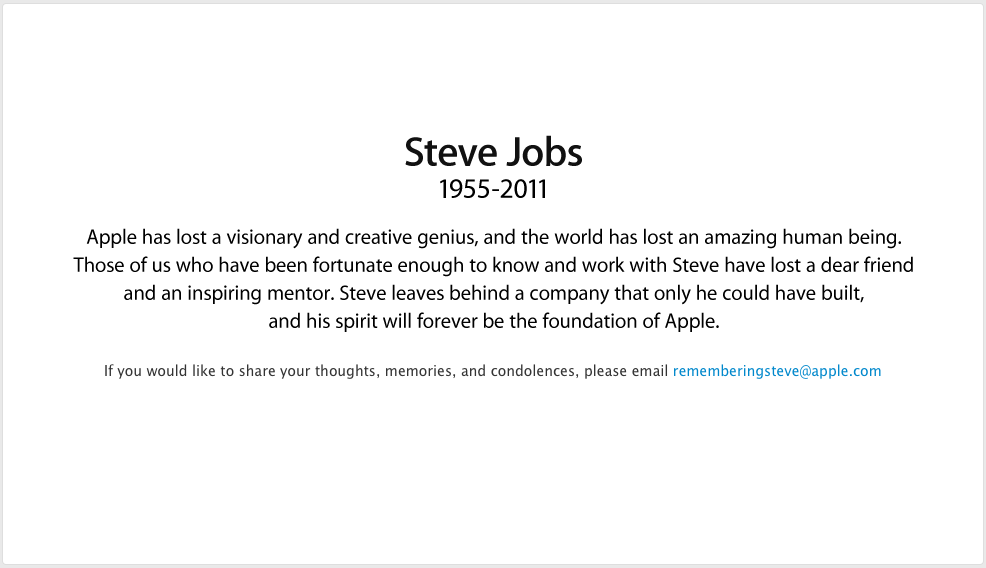
On Oct 6th, it was another typical day, reading news on the iPad on the cab to work. Opened up Tweetdeck and a feeling of dread came over me as I learnt the news about an hour after it had broke on the net. I headed straight up to the office, checked Apple’s website to be sure and there was the man himself and a tribute to his work. We had truly lost a visionary and creative genius.
I’m not a Apple user from Day 1. As a kid, I’ve seen the Mac in use and never really got into it. MS-Dos, Windows were the windows into the PC world. I got into programming on DOS /Windows,Unix (HP-UX) and discovered Linux soon after. Apple didn’t really enter my life till quite late when I got my first iPod Nano. It changed my life from then on with a simple concept of being a work of art serving music.
When the iPhone got released, most people were still using candy bar phones from Ericsson or Nokia. It was not until the iPhone 3GS that I experienced queuing up for the first time for an Apple device. Unboxing it was a change that now has seen me not purchase any Microsoft product since 2009. When I look back at how Microsoft squandered their lead especially in Smartphones, it’s amazing how Steve Jobs created a new product category that has dominated smartphone usage.
For the past year or so, I’ve been toggling between Windows 7 and Mac OS X. Even as a long time computer user, I definitely have come to see how his vision has changed how computing should be and how product development should be done. I am truly saddened by the loss of a visionary and someone who has innovated and touched everyone with his dedication.
From his Stanford commencement speech in 2005:
Remembering that I’ll be dead soon is the most important tool I’ve ever encountered to help me make the big choices in life. Because almost everything — all external expectations, all pride, all fear of embarrassment or failure – these things just fall away in the face of death, leaving only what is truly important. Remembering that you are going to die is the best way I know to avoid the trap of thinking you have something to lose. You are already naked. There is no reason not to follow your heart.
…
Your time is limited, so don’t waste it living someone else’s life. Don’t be trapped by dogma — which is living with the results of other people’s thinking. Don’t let the noise of others’ opinions drown out your own inner voice. And most important, have the courage to follow your heart and intuition. They somehow already know what you truly want to become. Everything else is secondary.
Lesson learnt… DON’T click on short URLs from friends .. use a private browser if you really want to
Saw this message from a friend on twitter this morning.
“haha the look on your face in this pix is priceless! <url removed>”
Looks innocent enough, we were recently at event and I thought photos were published. Click.
Shortly after, Twitter inbox starts flooding with messages. I was in a “Doh” moment and quickly got pinged by friends who lucky enough didn’t click on the links yet.
“lmao this video of you is funny as hell, im sharing it with everyone <url removed>”
Lesson learnt. DON’T click on short URLs from friends on any communication. It’s something I follow MOST of the time and unfortunately, trust and curiosity got the better of me today.
Somehow the Twitter session I was on got hijacked and the permissions allowed the rogue app to send messages to my contacts. Had this been a more malicious payload, it would have been less “humorous”.
Thanks to Katy for the info:
http://www.seascapewebdesign.com/blog/do-not-click-link-haha-look-your-face-pix-priceless
and Twitter’s help https://support.twitter.com/articles/31796
Have you:
- Noticed unexpected Tweets by your account.
- Seen unintended DM’s (direct messages) sent from your account.
- Observed other account behaviors you didn’t make or approve (like following, unfollowing, or blocking).
- Received a notification from us stating that, “You recently changed the email address associated with your Twitter account” (even though you haven’t changed your email address).
If so, please take the following steps:
1. Change your password
Please change your password immediately from the Passwords Tab in your Account Settings. Please select a strong password you haven’t used before. If you can’t log in to your account, please see thistroubleshooting page.
2. Revoke connections
While logged in, visit the Applications tab in Account Settings. Revoke access for any third-party application that you don’t recognize.
3. Update your new password in your trusted third-party applications
If a trusted external application or widget uses your Twitter password, be sure to update your password in the application.
Development Musings: behaviour bookmarks delicious learning pattern process
by michael
1 comment
A snapshot of what I’m interested in via Delicious and bit more on how I work in general
Just a quick post about how I approach projects/tasks/requests/anything in general. Something for me to review when I’m another 10 years older in 2021.
It’s a habit of mine that I call the RTFM first before asking anyone practice. It’s something I see lacking in some people who are developers and usually I stop talking too much to them.
Starting quite early, I generally found reading first, then asking was a better way to generally not be an idiot about asking silly questions too much. Of course, with the internet (was more like BBS via a 9.6kbps modem), it made it a lot easier to search first, then ask (which got lesser and lesser as more info is put online).
Delicious when they launched was a godsend for the tonnes of bookmarks (all lost now in some major hdd erase). Everything is neatly tagged when I remember to do so but generally 5.4k bookmarks gives quite a bit of insight into what I’m interested in.
The first bookmark was from 4th Oct 2005 and titled “Drag & Drop Sortable Lists with JavaScript and CSS“.
As of July 2011, here’s the top 10 tags
- eve-online - 469
- tools - 454
- software - 443
- design - 369
- web - 315
- singapore - 294
- development - 274
- programming - 258
- webdesign - 257
- blog - 232
Apples invading the home!
So Apple #10 is invading the study (Nano, iPhone 3GS x 2, iPhone 4 x 2, iPad x 2, iPad x 1, MacBook Pro).
This time thanks to Decide.com and bit of patience (not something I do well when it comes to gadgets), I’ve made the purchase of a MacBook Air which will come really useful on the work trips. Lighter bag (my rationale) and really nice specs (i7, 256GB SSD!, 4GB RAM, Intel Graphics that doesn’t SUCK too much).
The same day the new Mac Air launched, Lion also got released. Since I was stuck in a hotel room, the 3.9 GB download was out of the question. When I got back, the MacBook Pro 13 (nickname’d Atron) got the upgrade. So far, nothing much has changed other than some rather awkward trackpad gestures… How the heck do I go back and forth in Safari/Chrome now?
Don’t be mistaken though, 10 apples in the house doesn’t mean I’m giving up on Windows. Windows 8 looks really neat and I hope to get it running on the main PC soon enough. For gaming and programming, the triple 24″ workstation still works pretty well. I do wonder how 3 x 27″ Apple Thunderbolt Display’s would look like though
Thoughts from WebCamp 七
Finally attended WebCamp KL‘s seventh event . I found out about this after the Red Dot Ruby Conf in April when I got to talking with the KL Rubyists (@Anonymouscow and @bryanritchie).
Lucky Chin was able to make it for the event else I would prob get lost in KL’s public transport.
We got in a little late and they were just announcing that the first few minutes would be an ice breaker session. The photo probably doesn’t show it too well but there was a LOT of people. Managed to catch up with a few interesting folks (UX, mobile, etc). Definitely not a .Net crowd
The sessions today was a new format for the guys (something I saw after Red Dot Ruby which is a Pencha Kucha presentation format (20×20 : 20 slides , 20 seconds each). It’s for the brave souls who can really cut straight to the point.
- Chern Shue had a talk on Symbology and specifically on QR codes and his project qnack.com
- Ruben Tan @roguejs shared more about the benefits of Git Workflow which I enjoyed the most since we’re constantly looking to improve the deployment process. 40 square’s Git workflow.
- @jerng followed the 20×20 slide format and gave us a rather interesting look at the state of the web and comparing to some interesting real world subjects
- Wu Han @Ngeow also shared some insights from a recent diving trip and some app ideas. I quite liked the mechanic app.
- Bazil from lgda.org.my did a quick intro to the gaming industry in Malaysia which I found illuminating (recent drama in EVE online has me digging into gaming industry and thinking more about the parallels to portals)
They also experimented with Slideshow Karaoke .. which you really need to have the guts to stand in front of an audience and have zero idea what slides you need to present and just go with the flow. Awesome effort by the first speaker who had transformed the “art of powerpoint presentation” to “dating”. The Top 20 indian movies and lastly a M$ Enterprise Product slidedesk was pretty ironic considering the crowd.
All in all, a pretty good session. Something regular and not what I’ve seen much in Singapore (for such a large crowd). Looking forward to the next session!
Challenges of being a remote Scrum Master
It’s not easy when one is a Scrum Master remote from the entire team! I’ve heard a few times now that it’s rare and a real challenge to work with.
So why do I do it?
- Business Unit requires a tech guy. There’s no technical folks in the local office!
- Dev team requires a tech interface for the business unit.
- Someone thinks its necessary and hired me for the job.
- I like the challenge!
Challenges faced
- A lot of non-verbal cues get lost in communications and sprint planning.
- Missing out on building the team culture and practices.
- It’s not easy to help solve a problem with external factors via Skype/Phone.
Does Scrum help?
- The practices recommended (Daily Scrum, Sprint Retrospectives) aim to shorten the feedback loop for delivery of features (user stories). It’s really useful when your entire team is not in the same country.
- Daily Scrum is done via Skype and everyone’s on a common Skype channel throughout the day. This helps simulate being in the same room although there is a fair bit of communication gone missing in virtual setup.
- Sprint Planning is planned in such a way that both Product Owner and myself are with the team during this period with the team. This means a LOT of flying but it’s also helpful to reduce conflicts and ideally get better planning.
- Measuring metrics like Velocity, Operational Efficiency, Reliability, etc helps to let management have visibility into the team’s performance.
Finally! Fixed the sort order of the posts in WordPress
Had been puzzling over the sort order of the posts in WordPress since a recent upgrade. For no reason, it kept showing the earliest post first instead of latest.
Here’s the solution!
// GROUP BY auswerten
function plw123ngb_posts_groupby( $groupby ) {
if( preg_match( "/(|[ ,.])id(|[ ,])/i", $groupby ) ) {
// GROUP BY auf post_date setzen
$groupby = 'post_date';
}
return $groupby;
}
add_filter( 'posts_groupby', 'plw123ngb_posts_groupby' );
http://schnurpsel.de/wordpress-und-die-suboptimale-mysql-optimierung-5051-74/
http://wordpress.org/support/topic/how-do-i-fix-the-sort-order-of-my-posts
Hardware Musings: hardware nas network storage switch
by michael
leave a comment
D-Link DGS-1005D shows compatible Non-IEEE 802.3ad (ALB) but not DGS-1008D!
Happily setup the DS1511+ and parity checking finally completed after 10 hours for 3 x 2TB hdd. Tried to setup network link aggregation (IEEE 802.3ad) since the 5 port variant showed compatible so my 8-port must work no? NOPE! Failed and had to just enable “Network fault tolerance only” mode which only kicks in if 1 NIC fails. I’m now looking at a 55 MB/s transfer rate and wondering how can I boost this?!
If you’re wondering, why do i need more speed? Well, when trying to transfer almost 3 TB worth of data, you want all the SPEED you can get! (DS1511+ has advertised 165.91 MB/sec Writing, 197.8 MB/sec Reading)
Did some research to understand bit more in depth and came across a post that asked the questions swirling in my head.
http://forum.synology.com/enu/viewtopic.php?p=42413
What exactly are the technical differences between the two Link Aggregation modes (“IEEE 802.3ad Dynamic Link Aggregation” and “non-IEEE 802.3ad Adaptive Load Balancing”) that are supported by Synology? Is “Adaptive Load Balancing” the same as “Static Link Aggregation”, for example? The help-text in the UI does not really clarify this.
The answer?
Feature: ‘IEEE 802.3ad Dynamic Link Aggregation’ vs. ‘Adaptive Load Balancing (ALB)’
Load Balancing: Tx/Rx vs. Tx only
Layer 3 Address Aggregation: yes vs. IP and IPX only
Layer 2 Address Aggregation: yes vs. no
Requires a switch that supports link aggregation: yes vs. no
Static Link Aggregation (SLA) is a form of IEEE 802.3ad, but is NOT supported by Synology. ALB is NOT a form of IEEE 802.3ad, but IS supported by Synology.
If you need to get even more info, read Intel’s explanation.
So now, should I go into overkill mode and bring back the Linksys SRW2024 (now rebranded under Cisco) from the DC? or go with a more sane 8-port Zyxel ES-2108-G?